REFLECTIONS · NOV 5, 2026 · 3 MIN
Nav Stack Lab: Seeing the Whole System
We often hear that a system is more than the sum of its parts, but how often do we actually get to see it? In robotics one can spend a long time on a single module, e.g., a controller or a localization filter, and rarely see what happens to it when the module next to it misbehaves. In my opinion, this is where many of the hard problems live. I have seen strong engineers build very good modules, test them in isolation, and find out much later that something broke once these modules met the rest of the system. In this post I am describing a small tool I built around that idea, and what I took from building it.
How It Started
For three weeks I took time off to take care of some personal matters and my availability was limited, but I did have access to my phone and (partly) to my laptop, and I decided to take advantage of Claude's mobile availability. At the same time, I wanted to refresh some of my robotics knowledge and to learn a few more things, therefore I started building Nav Stack Lab as a personal tool to help me with that goal.
What It Does
As I kept adding features, I wanted to make sure it served two purposes:
- End-to-end functionality (how one module impacts another): for example, a noisy odometry sensor impacting how the controller performs.
- Safety (how each module impacts, and is impacted by, safety).
Both are extremely important in robotics and are often overlooked. Over time lessons were added, the app became a true learning tool, and I thought it would be great to open-source it and share it with others for their benefit.
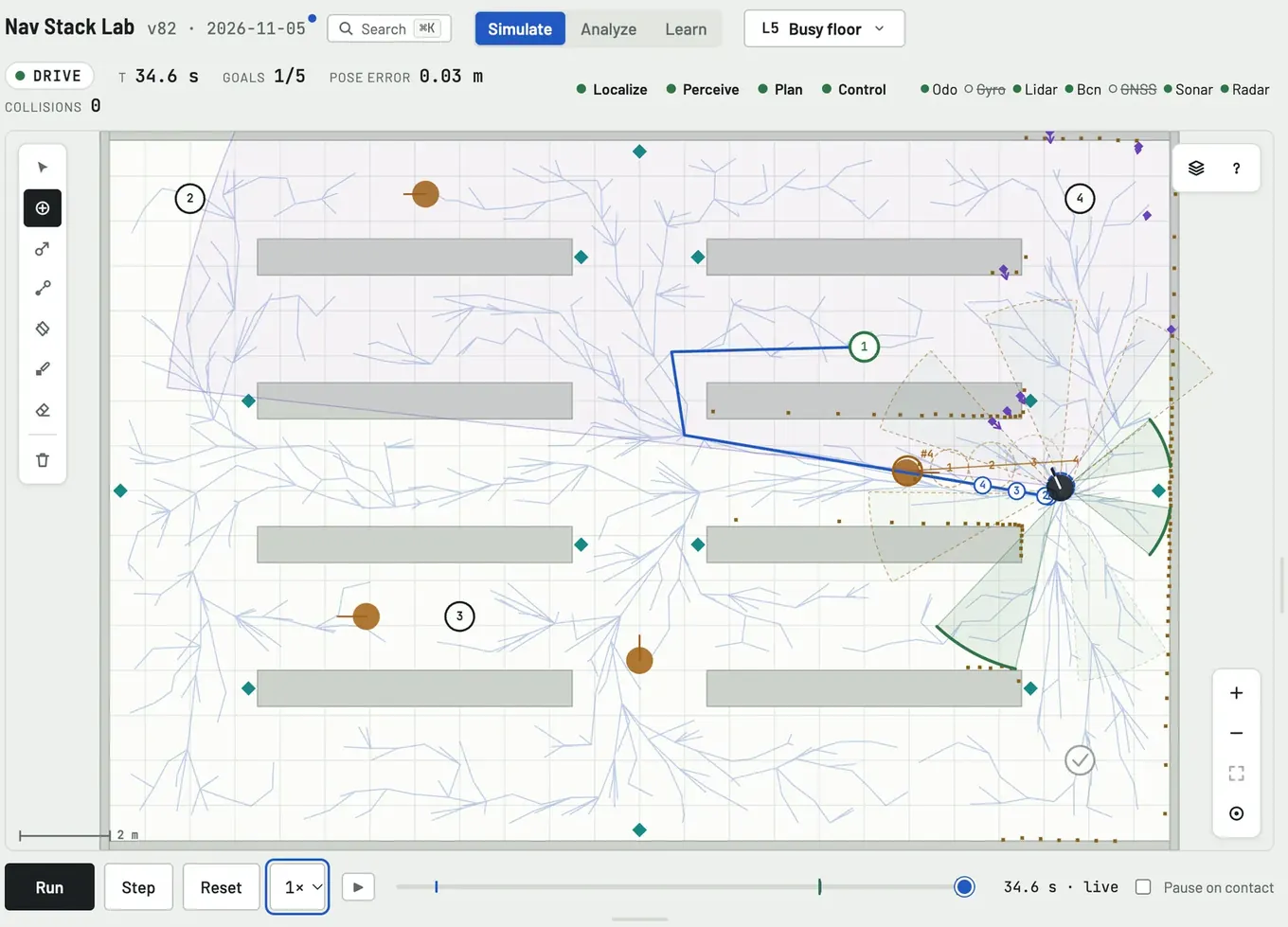
The app is essentially a mix of well-known and established robotics and algorithmic techniques (localization, perception, planning, control and safety) put together into one interactive tool, so that the reader can go from the math to the results and back. It runs in the browser as a single file, hence there is nothing to install and it works on a phone as well.
What I Took From It
This was my first deep dive into app development with Claude, mostly from my phone, and it is extraordinary what you can achieve. This experience highlighted something I had seen before, which is that when you have a clear idea of what you want to do, AI can be an extremely strong partner. At least to me, this is quite similar to working with a team; the clearer the what, the better the how that comes back (note: easier said than done, with people and with AI).
It is far from perfect, so I would love to hear where it is wrong or confusing :-) Feel free to open an issue on GitHub or reach out directly.
I hope you enjoy it!
